Quickstart: Arbitrum bridge
This quickstart is for users who want to deposit ETH or any ERC-20 tokens from a parent chain to a child chain or vice versa, using Arbitrum’s bridge. For example, from Ethereum to Arbitrum One, or from Arbitrum One to a Layer 3 Arbitrum chain.
We will walk you through the entire process step by step, providing as much detail as possible. If you feel stuck at any step, don’t hesitate to contact us through our Discord, and we will be happy to help you complete the process.
The only prerequisite for this quickstart is to have a Web3 wallet installed, such as MetaMask or OKX Wallet. If you don’t have one installed, visit the Arbitrum portal for a list of available wallets to download.
Deposit ETH or ERC-20 tokens (from parent chain to child chain)
Step 1: Get some native currency
You’ll need the native currency of the parent chain to bridge your assets to the destination chain. For example, if you want to bridge assets from Ethereum to Arbitrum One, you’ll need ETH on Ethereum to initiate the process.
There are several ways to obtain the native currency:
- Using a supported centralized exchange, which allows you to purchase
ETHand withdraw it to your wallet. Most major centralized exchanges support direct withdrawals from your centralized exchange wallet to the Arbitrum network. - Using an on-ramp service, which allows you to purchase
ETHand send it directly to your wallet. - If you are using a testnet, request funds from a Sepolia or Arbitrum Sepolia faucet.
Step 2: Add the preferred network to your wallet
You'll also need to add the desired chain's RPC endpoint to your wallet. Here, we provide an example of how to do this using MetaMask; however, the process should be relatively similar to any other wallet.
- First, click the MetaMask extension in your browser.
- Click the network selector drop-down in the top-right corner.
- Click the Add a custom network and then provide the information corresponding to the chain you want to send your assets to (see below).
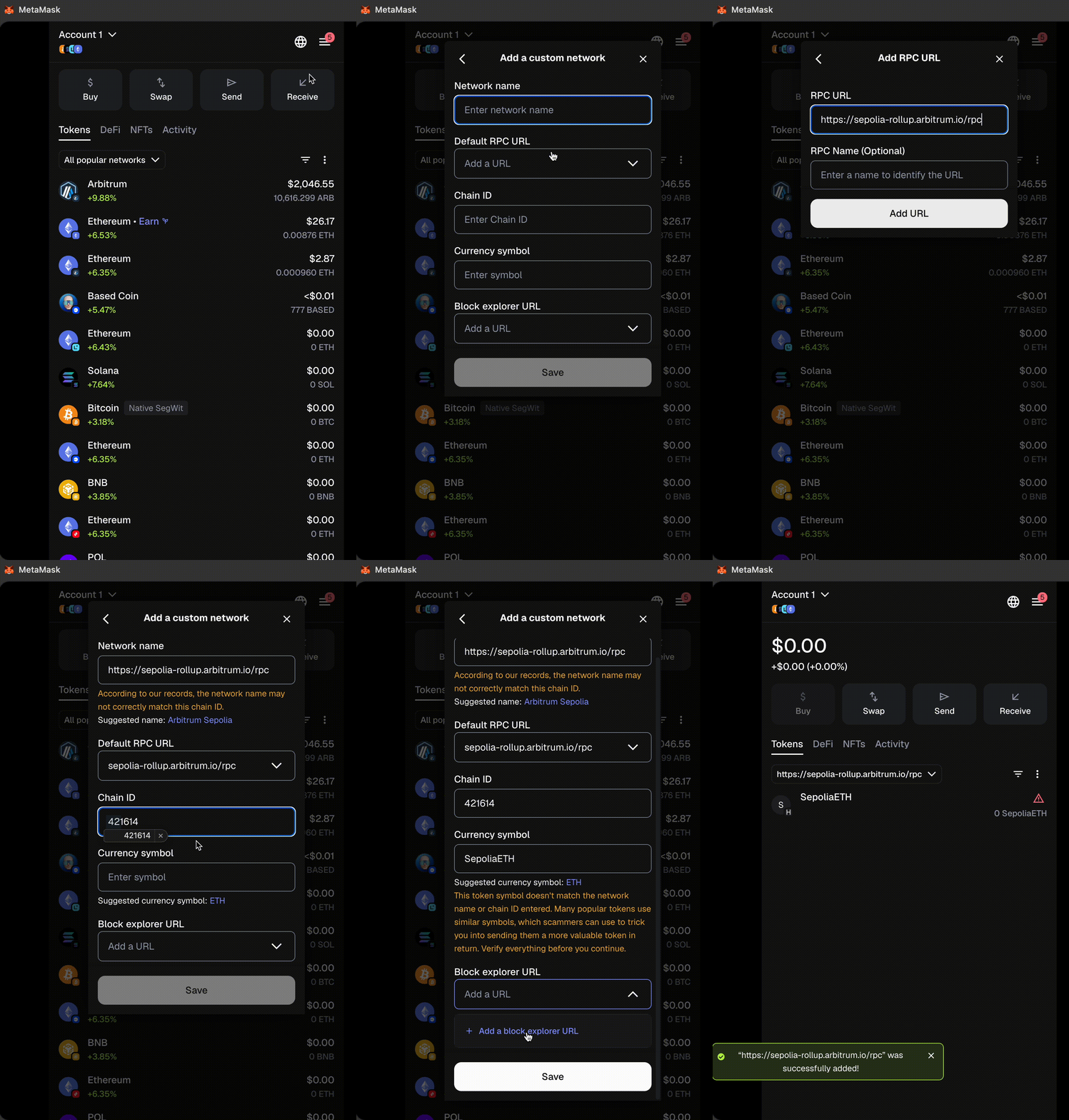
Below are the the most common Arbitrum chains. For a more exhaustive list, please visit our RPC endpoints and providers page.
| Parameter | Arbitrum One | Arbitrum Nova | Arbitrum Sepolia (testnet) |
|---|---|---|---|
| Network name | Arbitrum One | Arbitrum Nova | Arbitrum Sepolia |
| RPC URL | https://arb1.arbitrum.io/rpc | https://nova.arbitrum.io/rpc | https://sepolia-rollup.arbitrum.io/rpc |
| Chain ID | 42161 | 42170 | 421614 |
| Currency symbol | ETH | ETH | SepoliaETH |
| Block explorer URL | https://arbiscan.io | https://nova.arbiscan.io/ | https://sepolia.arbiscan.io |
Step 3: Initiate the deposit
To bridge your ETH or ERC-20 tokens to a different chain, start by visitng bridge.arbitrum.io.
- Connect your wallet to the bridge.
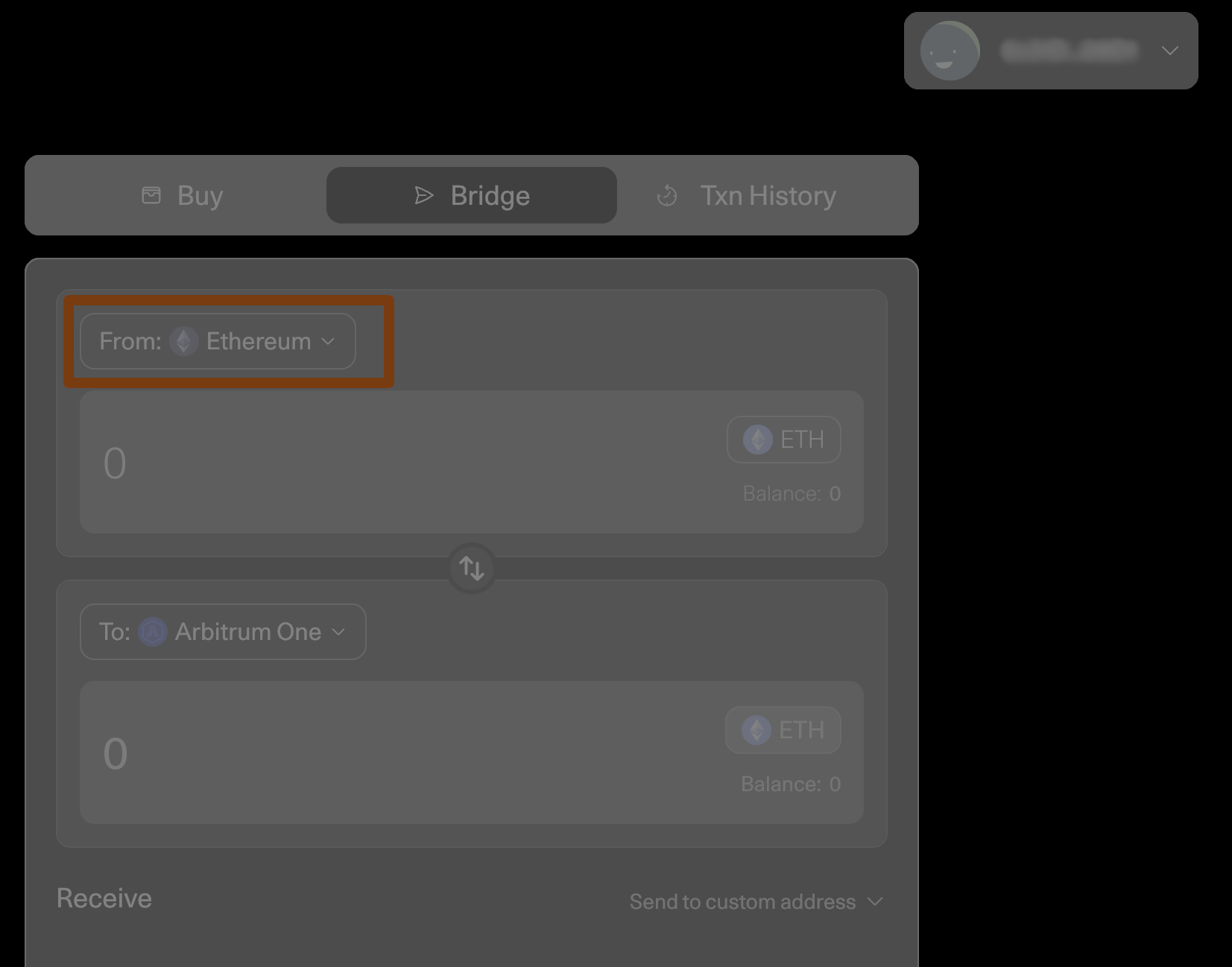
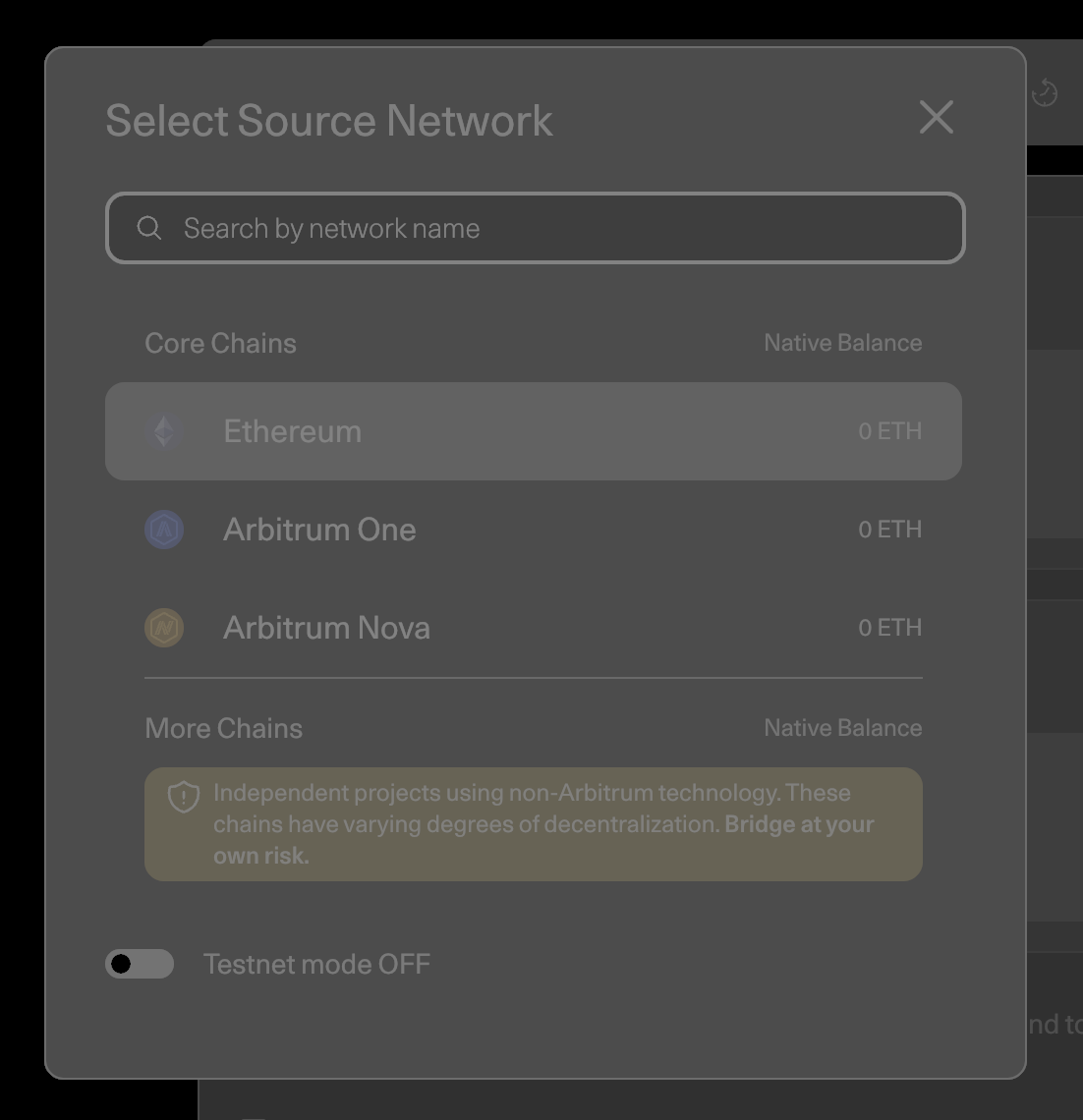
- Ensure the source network is selected (from where you want to deposit your assets) at the top of the page.
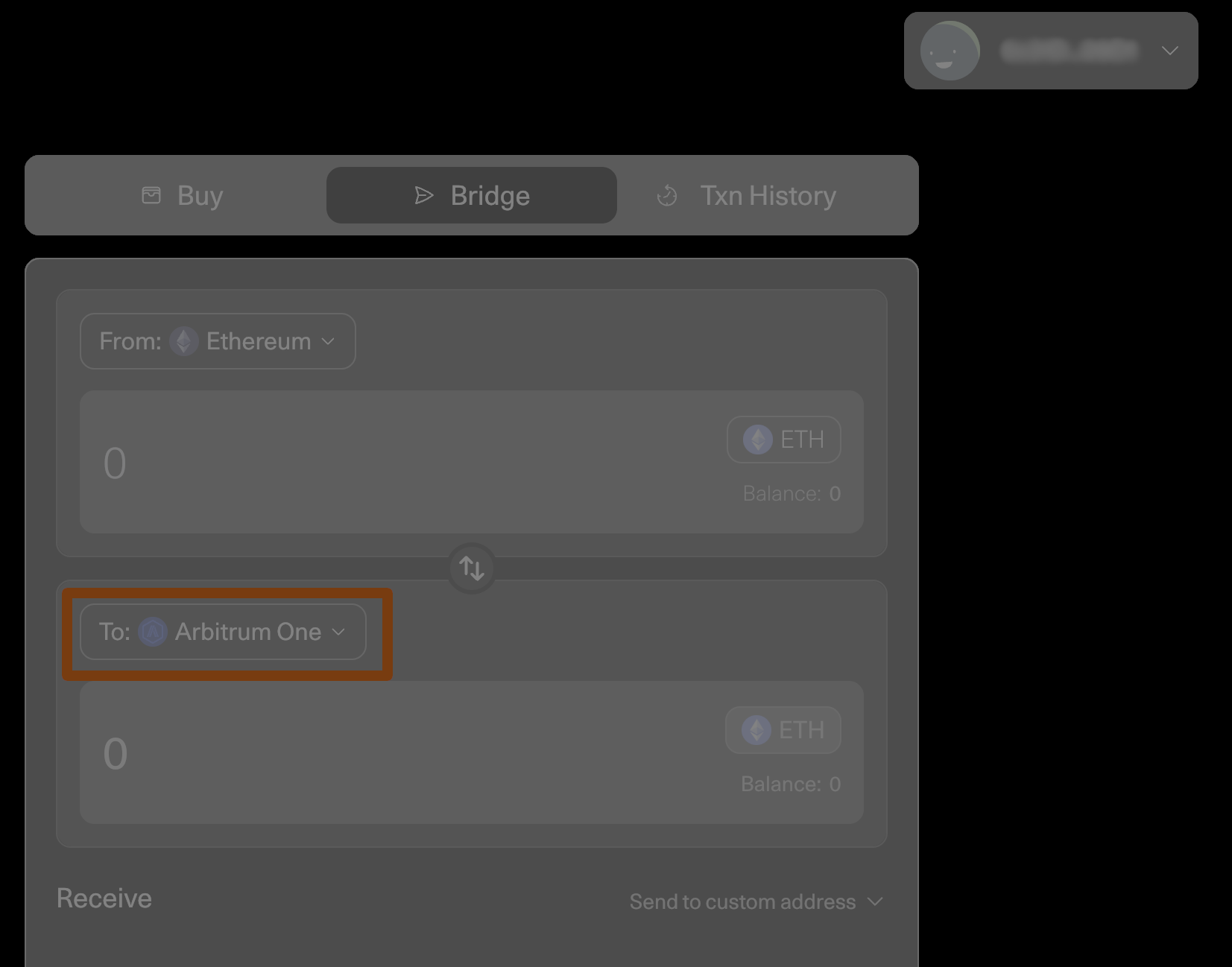
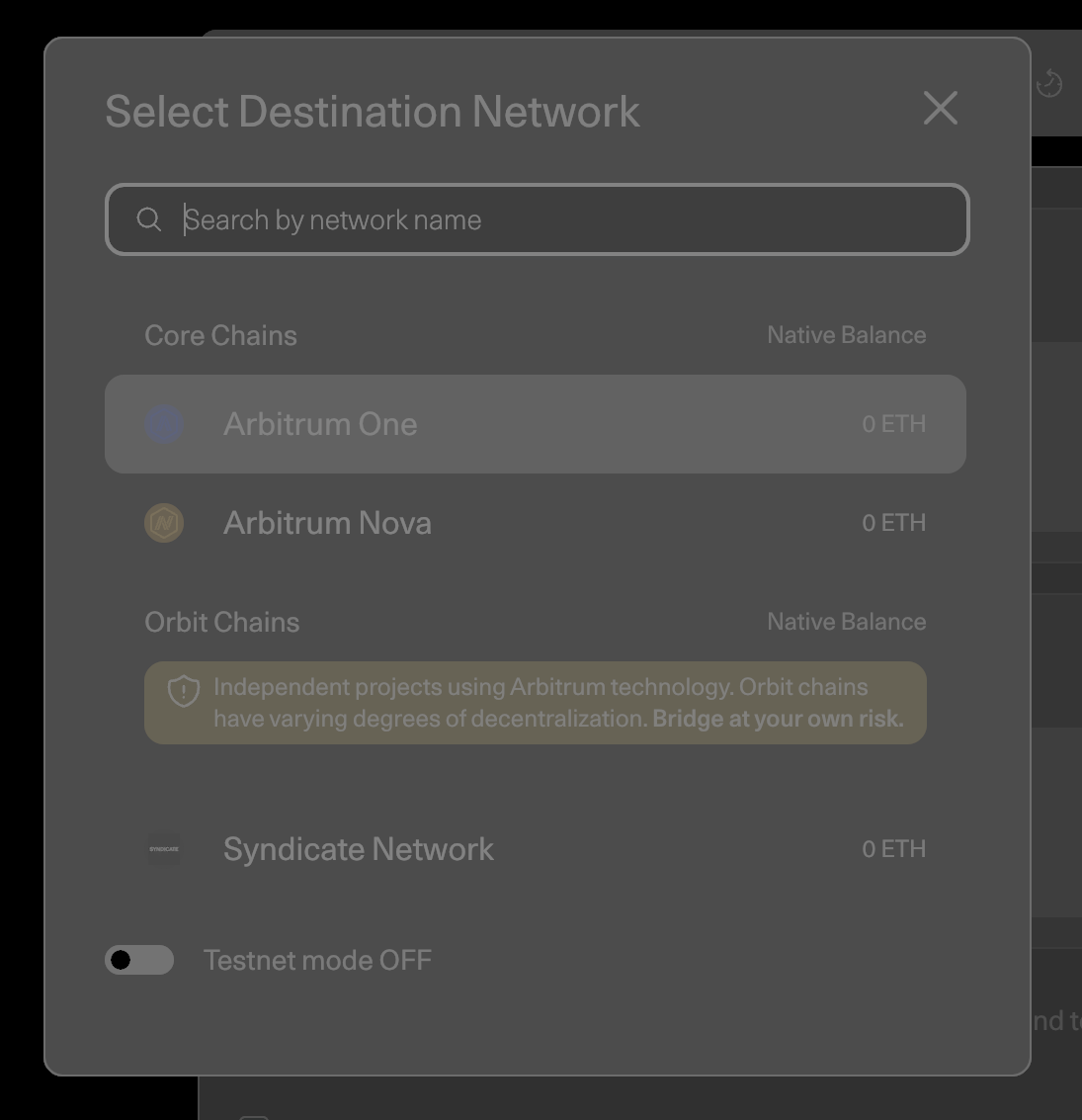
- Select the destination network (where you want your assets to go), e.g., Arbitrum One.
Note that testnets like Arbitrum Sepolia only appear if you have an established connection to the appropriate parent testnet network (Ethereum Sepolia).
Also note, that when choosing the source or destination network, a pop up will appear where you can make your selection (illustrated below).
- Select the token you want to bridge in the token drop-down menu.
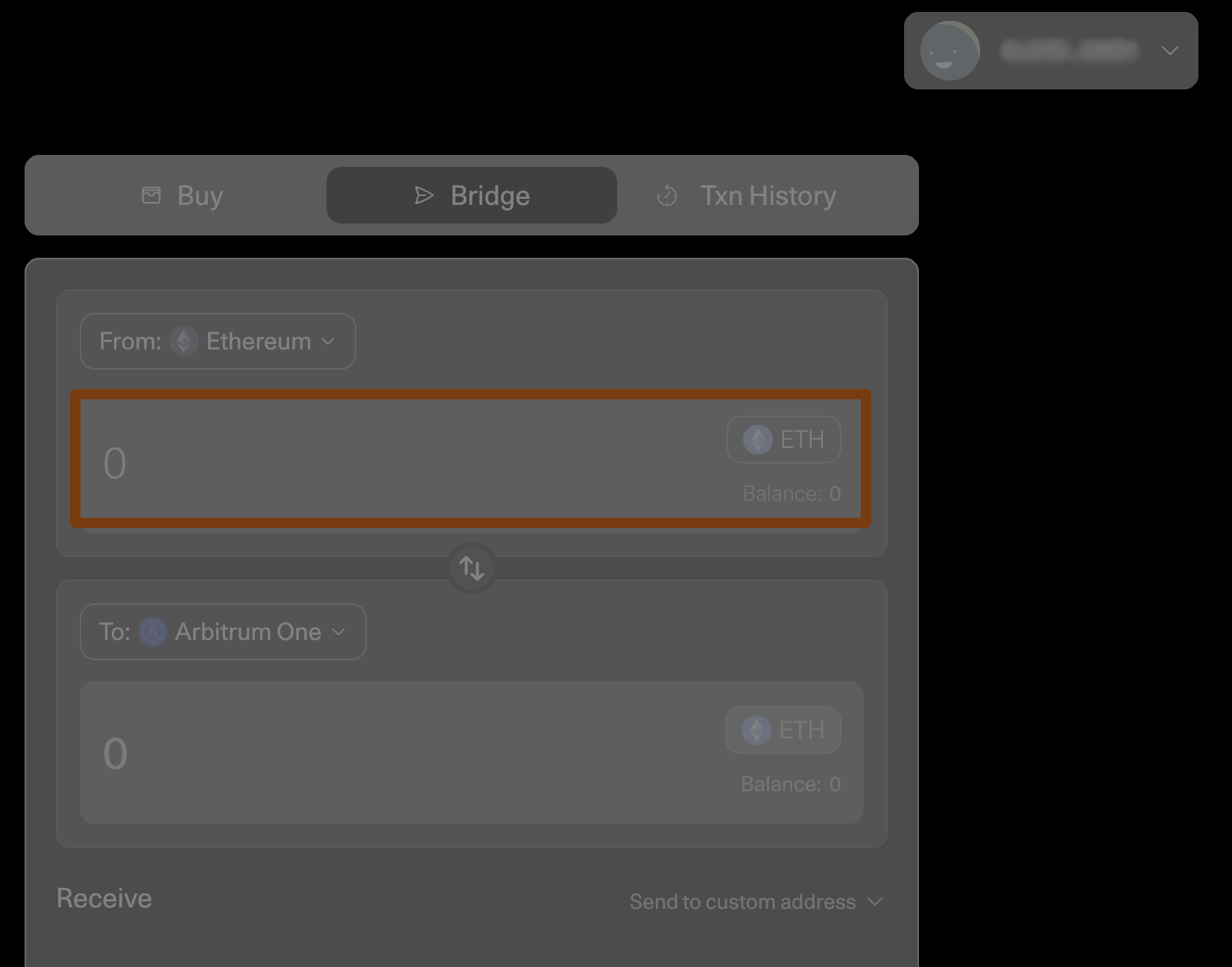
- Enter the amount of
ETHorERC-20tokens you want to bridge over in the From box. - Press Move funds.
- Follow the additional prompts from your Web3 wallet.
ETH balancePlease ensure you have sufficient ETH in your wallet to cover the transation costs; otherwise, the Web3 wallet pop-up will not appear.
After you submit the transaction through your Web3 wallet, you can expect your funds to arrive on the destination chain within roughly 15-30 minutes (depending on chain congestion).
Also, ensure your wallet is set to the destination network so you can see when your funds arrive.
Withdraw ETH or ERC-20 tokens (from child chain to parent chain)
Once you withdraw your funds from Arbitrum One or Nova through the Arbitrum bridge, you will have to wait for at least seven days to receive them on the Ethereum mainnet. For more details, see Arbitrum Bridge: Troubleshooting.
To bridge your funds back to the parent chain, you must be connected to the Arbitrum bridge with your wallet and ensure you establish a connection to the source network (from which you want to withdraw assets) at the top of the page. Then, select the destination network (where you want your assets to go), e.g., Ethereum mainnet.
Testnets like Arbitrum Sepolia only appear if you have an established connection to the appropriate parent testnet network (Ethereum Sepolia).
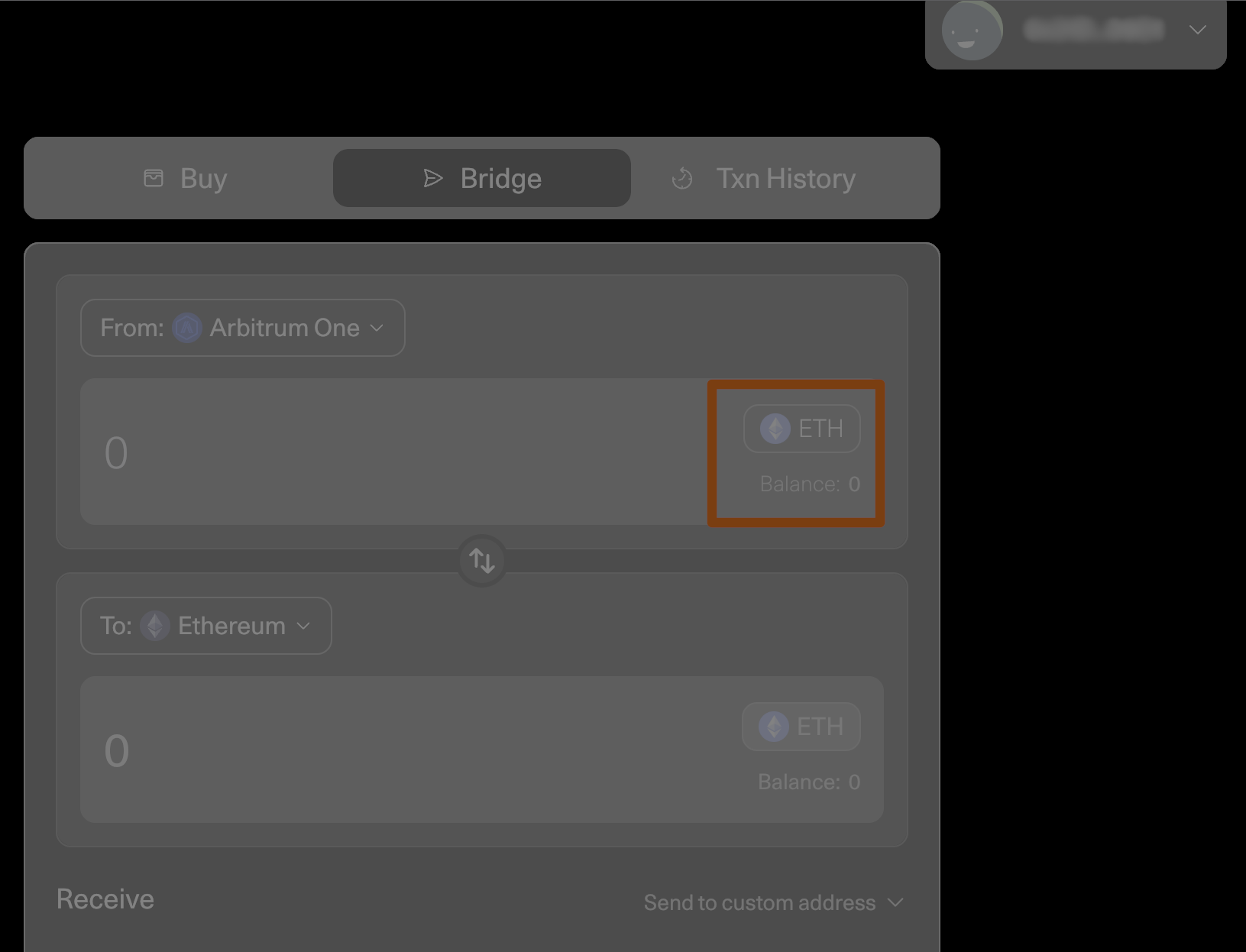
- Select the token you want to bridge in the token drop-down menu.
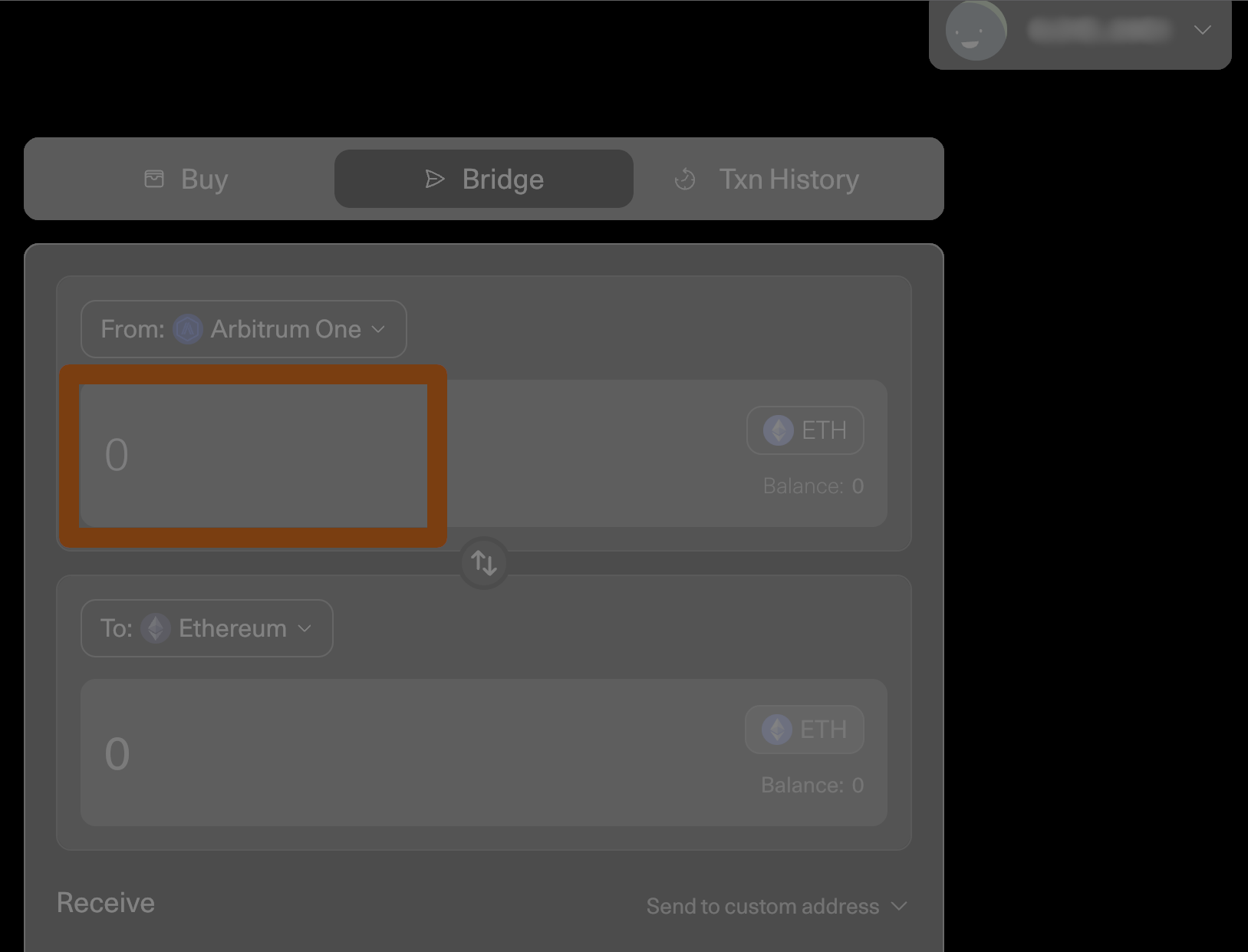
- Enter the amount of
ETHorERC-20tokens you want to bridge in the From box. - Press Move funds.
- Follow the prompts from your Web3 wallet.
ETH balancePlease ensure you have sufficient ETH in your wallet to cover the transaction costs; otherwise, no Web3 wallet pop-up will appear.
A countdown will appear stating that you'll receive your funds in 7-8 days.
You can check the status of your withdrawal by clicking on your profile in the top-right corner and opening the Transactions tab, where you can claim it when it's ready.
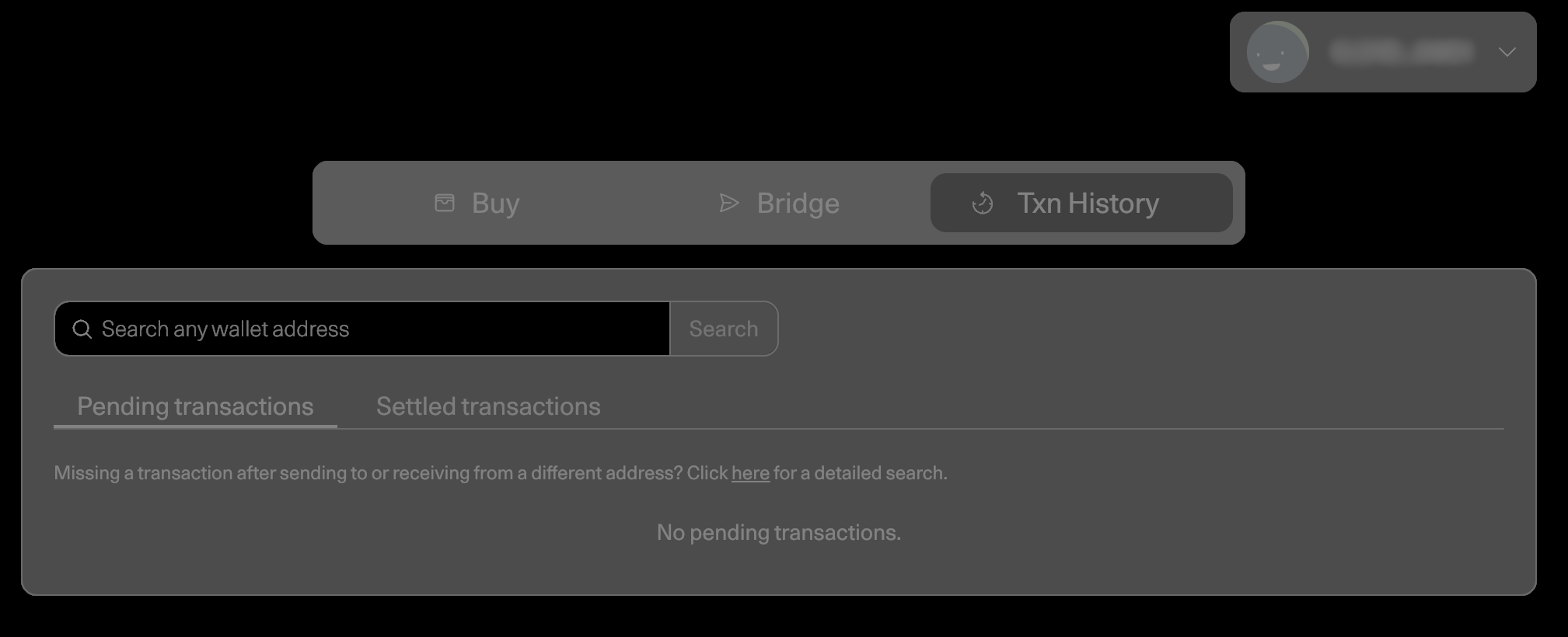
Once the countdown is complete, switch to the destination network in your wallet and press the Claim button, which is now blue, to receive your funds.
What's next?
The team working on Arbitrum is always interested and looking forward to engaging with its users. Why not follow us on X (Twitter) or join our community on Discord?